

The world of competitive gaming is currently reaching a fever pitch as display technology breaks through the final barriers of human perception. For many decades, professional athletes relied on standard refresh rates that often struggled to keep up with the lightning-fast movements of elite gameplay.
We are now entering a breathtaking era where 540Hz monitors have become the gold standard for anyone serious about absolute tactical dominance. This evolution means that the delay between your brain’s command and the screen’s response has effectively vanished into thin air.
Modern engineering now focuses on specialized E-TN and OLED panels that prioritize motion clarity above every other visual metric in existence. By choosing the right ultra-high refresh rate display, you can significantly enhance your ability to track moving targets with surgical and unwavering precision.
This article explores the essential pillars of the 540Hz market and how these monitors are fundamentally changing the professional landscape today.
You will discover the practical secrets that turn a premium monitor into a powerful engine for competitive prestige and digital glory. Let us explore the best path toward a more rewarding gaming life through the power of elite hardware and cutting-edge visual engineering.
The Dominance Of The ASUS ROG Swift Pro
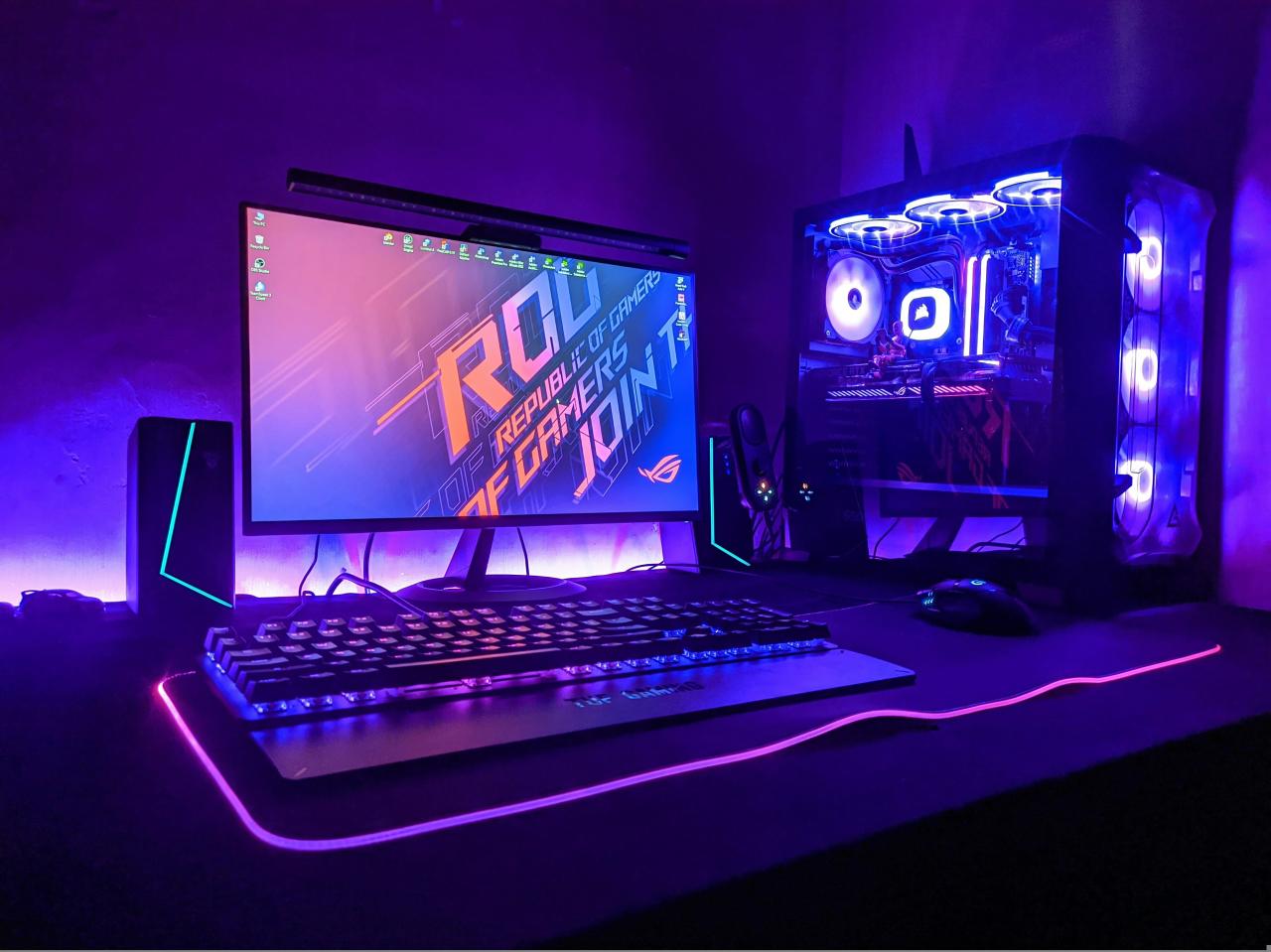
The current global hierarchy places the ASUS ROG Swift Pro at the absolute forefront of the competitive 540Hz monitor market. In the past, players had to settle for lower refresh rates if they wanted a monitor that offered reliable G-Sync and Reflex integration.
Now, ASUS has proven that they can deliver a 540Hz experience that maintains a perfectly consistent and fluid image even during intense action. This monitor utilizes a specialized E-TN panel that is designed from the ground up to eliminate motion blur and input lag entirely.
It is a fundamental shift toward “instantaneous feedback” where the game responds to your physical movements with near-perfect and total accuracy.
A. Achieving a native 540Hz refresh rate that provides a level of smoothness that traditional 240Hz or 360Hz displays cannot match.
B. Utilizing the built-in NVIDIA Reflex Latency Analyzer to monitor and reduce the total system lag across your entire hardware setup.
C. Implementing ULMB 2 technology to provide over 1000Hz of effective motion clarity, making every frame look sharp and well-defined.
D. Adjusting the retractable base to save valuable desk space for your large mousepad and aggressive low-sensitivity aiming movements.
The biggest problem for many competitive players is the “visual artifacts” that can appear when running a monitor at such high speeds. You solve this “image noise” by fine-tuning your overdrive settings to ensure that pixels transition fast enough without causing unwanted overshoot or ghosting.
Think of your monitor as a high-speed camera; if the shutter isn’t perfect, the final image will always be a blurry mess. When you master the art of monitor calibration, you find that the most consistent rewards go to the players who can see clearly.
BenQ ZOWIE And The DyAc 2 Innovation
While others focus on raw numbers, the team at BenQ ZOWIE maintains its reputation by prioritizing the actual feel and clarity of the movement. In the past, their monitors were the industry standard because of DyAc technology, which helped players control their spray patterns with much more confidence.
Now, the new 540Hz flagship introduces DyAc 2, which provides an even more stable and clear image during rapid horizontal and vertical mouse movements.
These monitors have shown a remarkable ability to help players track targets through chaotic utility and screen-shaking explosions without losing their absolute focus. It is a powerful way to “standardize visual stability” by ensuring that every movement on the screen remains as clear as a still photograph.
A. Implementing the new dual-backlight design of DyAc 2 to reduce eye fatigue and provide a more comfortable viewing experience during long sessions.
B. Tracking the improved color accuracy of the latest E-TN panels, which finally offer vibrant hues without sacrificing the lightning-fast response times.
C. Utilizing the S-Switch remote to instantly change between different visual profiles for diverse games like Counter-Strike, Valorant, or Apex Legends.
D. Observing the impact of the adjustable “Shields” that block out peripheral distractions and help you stay focused on the center of the screen.
The challenge for many fans is the “brightness penalty” that often comes with using aggressive motion blur reduction technologies like DyAc 2 in the server.
You solve this “dimness gap” by adjusting the specialized black equalizer settings to bring out the details in dark corners without washing out the colors. Think of your monitor as a pair of specialized tactical goggles; they should highlight your enemies while keeping the rest of the world clear.
When you appreciate the strategic layers of ZOWIE’s design, you see that their path to victory is paved with both clarity and comfort.
The Rise Of OLED At Competitive Refresh Rates
One of the most exciting trends in the current monitor market is the arrival of OLED panels that can reach these extreme 540Hz speeds. In the past, OLED was reserved for slow, beautiful cinematic games because the technology could not yet handle the rapid refresh cycles required for esports.
Now, brands like Acer and MSI are pushing the boundaries by offering 540Hz OLED displays that provide the fastest response times ever recorded in human history. These monitors offer an “infinite contrast ratio” that makes enemies stand out perfectly against dark backgrounds with zero ghosting or trailing behind their models.
It is a move to “combine beauty and speed” by bringing the best visual technology to the most demanding competitive gaming environments.
A. Evaluating the near-instant 0.03ms GtG response times that make motion on an OLED panel look even smoother than on a traditional TN screen.
B. Tracking the vibrant colors and deep blacks of QD-OLED technology, which makes spotting hidden targets in dark hallways much easier for everyone.
C. Identifying the potential for “Burn-In” and utilizing the latest software-based protection features to ensure your expensive investment stays in perfect condition.
D. Observing how the thin and lightweight design of modern OLED monitors allows for more flexible mounting options on your professional gaming desk.
The problem for many purists is the “text clarity” issues that sometimes occur on early OLED panels due to their unique and unconventional pixel sub-structures. You solve this “readability barrier” by using the latest operating system updates and specialized scaling tools that optimize the display for both gaming and daily work.
Think of an OLED monitor as a high-performance sports car; it requires a bit more maintenance, but the experience is truly and deeply unmatched. When you embrace the future of display technology, you gain access to a level of visual perfection that was once considered completely impossible.
Optimizing Your PC For The 540Hz Experience
Owning the best monitor in the world means nothing if your computer cannot actually push the five hundred and forty frames per second required. In the past, players could get away with older hardware, but the jump to 540Hz requires a massive amount of raw CPU and GPU power.
You must ensure that your system is perfectly optimized, from the latest drivers to the most efficient background task management possible in your software.
This allows you to avoid the “input lag spikes” that occur when your hardware struggles to keep up with the demands of a high-refresh-rate display. It is a strategic move to “balance your build” by ensuring that every component in your PC is working toward the same competitive goal.
A. Monitoring your frame time consistency to ensure that your CPU is delivering frames in a perfectly regular and predictable rhythm for the monitor.
B. Tracking the temperature of your components to prevent thermal throttling, which can cause sudden and devastating drops in your overall gaming performance.
C. Identifying the best in-game settings that provide a clear visual advantage while keeping your frame rate above the native 540Hz refresh rate target.
D. Observing how different DisplayPort cables and versions can affect your ability to run the monitor at its full and absolute maximum potential speed.
Many enthusiasts struggle with the “diminishing returns” argument, wondering if the jump from 360Hz to 540Hz is actually worth the high price and effort. You solve this “value conflict” by realizing that at the highest level of professional play, every single millisecond of advantage is worth its weight in gold.
Think of your PC as a professional athlete’s body; it needs the best fuel and the best training to perform at its peak. When you optimize for 540Hz, you are not just buying a monitor; you are investing in the most responsive and competitive version of yourself.
Conclusion
Strategic visual orchestration creates true sovereignty by replacing motion blur with high-performance refresh engines. Assigning missions to every technical specification helps prevent input latency from dictating your competitive strategy.
This disciplined approach ensures your peripheral infrastructure remains an efficient and powerful victory asset. Auditing your display synchronization and monitoring frame delivery allows you to reclaim operational control.
Strategic panel selection ensures your gaming ecosystem acts as a fortress against visual hardware shifts. This logical framework provides the stability needed for a high-performance lifestyle. Building for the future requires executing your hardware plans with unwavering and total confidence.
Sophisticated display systems transform your optical clarity into a permanent freedom engine. Long-term excellence starts with the structural decisions you make right now. The future of architecture is defined by the systems you build.